Top Wallet Apps That Allow Direct Crypto Purchases with Debit Card
Quick Summary
Many modern crypto wallets allow users to buy Bitcoin, Ethereum, stablecoins, and other digital assets with a debit card. The crypto is often delivered directly to the wallet after payment.
Trust Wallet, Exodus, and MetaMask all provide in-app buy options, but the process is not exactly the same. These wallets usually connect to third-party payment providers that handle the card payment and identity checks.
What Is an In-App Crypto Purchase?
An in-app crypto purchase lets you buy cryptocurrency without sending money to a separate exchange first. You open your wallet, tap Buy, select a coin, choose a payment method, and complete the card payment.
The wallet usually does not process the card payment itself. It connects you with a payment provider such as MoonPay, Ramp, Transak, Banxa, Mercuryo, or another local provider.
For more beginner-friendly crypto guides, visit the Asdullah technology and finance section.
Quick Comparison
| Wallet | Card Purchase | Best For | Main Note |
|---|---|---|---|
| Trust Wallet | Through payment providers | Mobile users | Availability varies by region |
| Exodus | Card and supported payment methods | Simple wallet buying | Provider and location limits apply |
| MetaMask | Debit card, credit card, and providers | Web3 users | Network and token support matters |
1. Trust Wallet Review
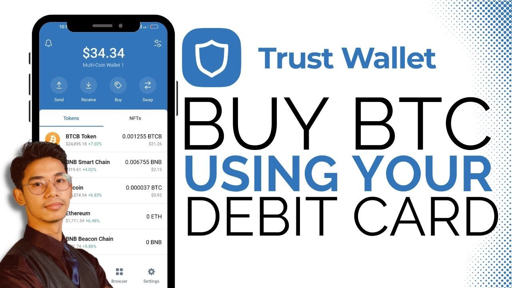
Trust Wallet is a popular mobile wallet for storing, sending, receiving, and swapping cryptocurrencies.
The app may allow users to buy crypto with a debit card or credit card through third-party payment providers. The available provider depends on the user’s country, currency, selected cryptocurrency, and payment amount.
To buy crypto, open Trust Wallet, choose the asset, tap Buy, enter the amount, and review the available payment providers. If a direct debit card option is not shown, the app may offer another provider, bank transfer, or mobile payment option.
Users should visit the official Trust Wallet support center before buying. It is important to check supported countries, fees, limits, and verification rules.
Trust Wallet gives users control of their wallet keys, but this also means the user is responsible for the recovery phrase. If the recovery phrase is lost, wallet recovery may not be possible.
Best for: Mobile users who want to manage crypto and explore multiple payment providers in one wallet.
Important: Trust Wallet may not show the same debit card option in every country.
2. Exodus Review
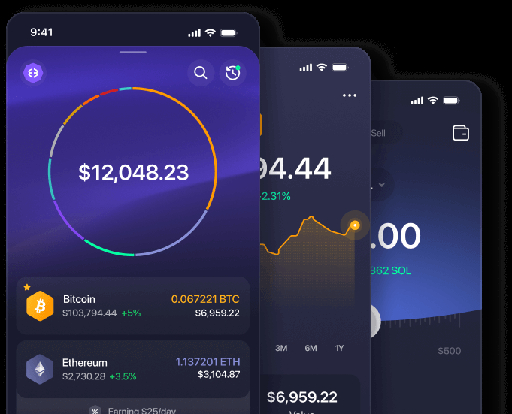
Exodus is a user-friendly wallet that lets people store, send, receive, swap, buy, and sell crypto.
Exodus says users may buy crypto directly in the wallet with a debit card, credit card, bank account, Apple Pay, or Google Pay where supported.
The buying process is simple. Open Exodus, select Buy, choose the cryptocurrency, enter the amount, choose a payment method, and complete the provider’s payment steps.
One benefit of Exodus is that the purchased crypto is delivered to your wallet instead of staying on a trading exchange. You can read the Exodus support center for current payment options and country rules.
Exodus is available on mobile and desktop. However, payment options may differ between the desktop app, mobile app, and supported regions.
Best for: Beginners who want a clean wallet with built-in buy and swap features.
Important: The final card fee and available payment provider depend on your country and transaction size.
3. MetaMask Review
MetaMask is a popular wallet for Ethereum, Web3 applications, DeFi, NFTs, and supported blockchain networks.
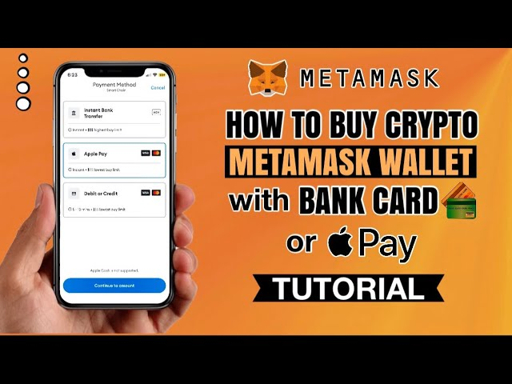
MetaMask lets users explore card purchases through third-party providers. Its official buy page may show debit card, credit card, Apple Pay, Google Pay, PayPal, bank transfer, and local payment methods depending on the user’s location.
To buy crypto, open MetaMask, tap Buy, choose your region and currency, select the token and network, enter the amount, and compare the available provider quotes.
After choosing a provider, the payment may open in a separate window. Complete the card payment there and wait for the crypto to arrive in your MetaMask wallet.
MetaMask also has a separate MetaMask Card. This card is different from buying crypto with a debit card. The MetaMask Card is used to spend supported crypto, while the Buy feature is used to purchase crypto.
Read the official MetaMask support center before making a purchase.
Best for: Web3 users who want to buy crypto and use it inside decentralized applications.
Important: MetaMask card buy options depend on the selected network, token, provider, country, and payment method.
How to Buy Crypto with a Debit Card
- Download the official wallet app.
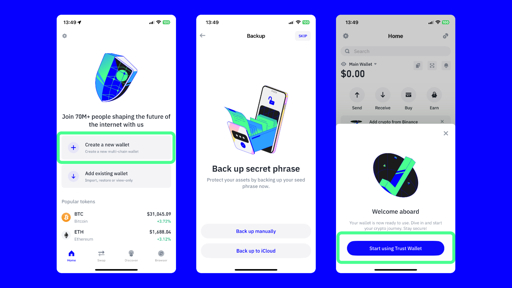
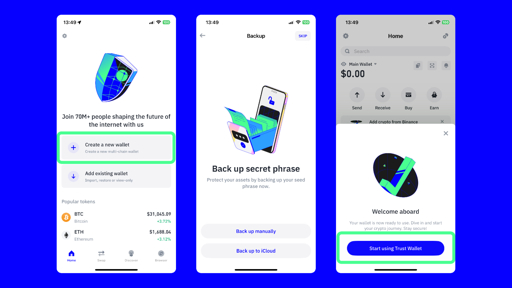
- Create a new wallet or import your existing wallet.
- Write down the recovery phrase and store it safely.
- Tap the Buy or Buy Crypto button.
- Select Bitcoin, Ethereum, USDC, or another supported asset.
- Enter the amount you want to purchase.
- Select debit card as the payment method.
- Choose the available payment provider.
- Complete identity verification if requested.
- Review the exchange rate and total fee.
- Confirm the payment.
- Wait for the crypto to arrive in your wallet.
Always double-check the blockchain network before buying. Sending crypto on the wrong network can cause a permanent loss.
Fees to Check
- Wallet provider fee.
- Card processing fee.
- Exchange spread.
- Blockchain network fee.
- Currency conversion fee.
- Minimum purchase fee.
Buying crypto directly inside a wallet can be convenient, but it may cost more than using an exchange. Compare the final amount of crypto you receive before confirming.
Trust Wallet vs Exodus vs MetaMask
| Feature | Trust Wallet | Exodus | MetaMask |
|---|---|---|---|
| Debit card buy | Through providers | Supported methods | Through providers |
| Best for | Mobile users | Beginners | Web3 users |
| Main strength | Wide asset support | Simple interface | Web3 and DeFi access |
| Main risk | Provider availability | Higher purchase cost | Network mistakes |